Skip to content
YinYang
FeaturedindicatorActiveUltimate

YinYang Trend

A multi-layer trend-analysis workspace built around confirmation.

AlertsSource updated 2023-10-26Reviewed 2026-07-19
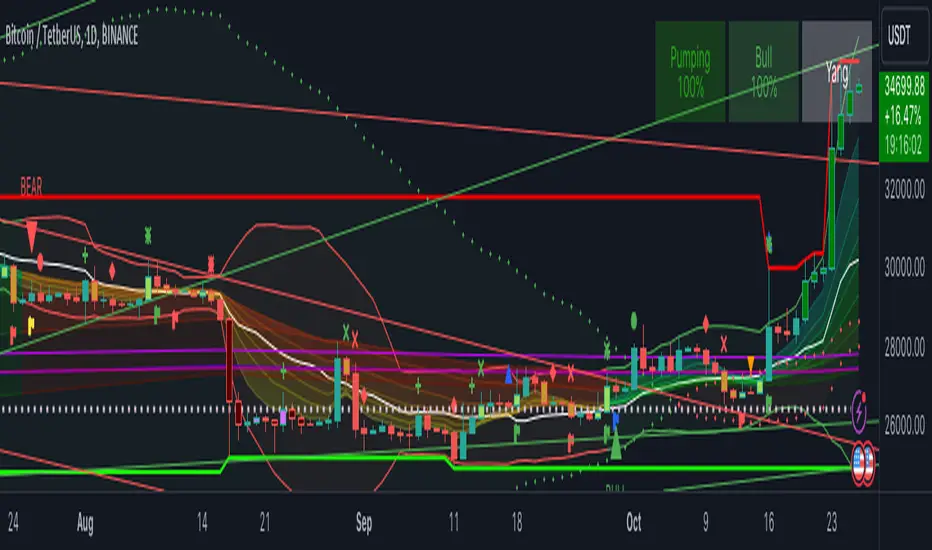
YinYang Trend indicator with trend zones on TradingView
Original YinYang TradingView publication screenshot.

Overview

Evaluate trend direction through several coordinated layers instead of relying on one isolated signal.

YinYang Trend groups complementary trend tools into one TradingView indicator: bull and bear states, take-profit context, zones, tables, cipher signals, pivots, trend lines, bands, value zones, strength indexes, and volume profile.

Key capabilities

  • Bull and bear signals
  • Take-profit signals
  • Bull and bear zones
  • Information tables for trend state and strength
  • Sixteen cipher signals
  • Pivots and trend lines
  • Custom Bollinger Bands
  • True Value Zones
  • Bar Strength Indexes
  • Volume profile
  • Boom Meter context

Configuration

Start with the documented controls

  • Adjust purchase speed to change how quickly state responds.
  • Adjust purchase strength to change the number of confirmations required.
  • Toggle individual layers to keep the workspace readable.

Tutorial

Learn the workflow in context

Step 1

Start with the signal state

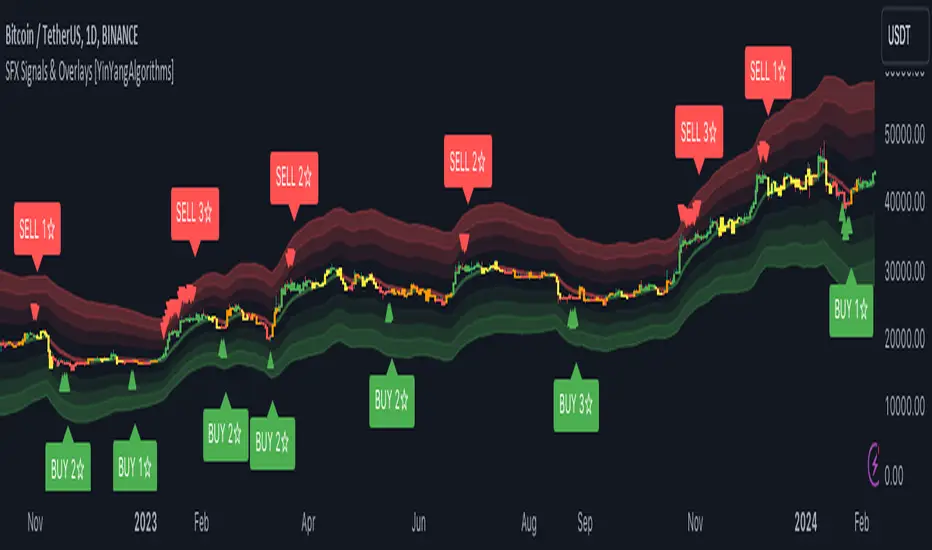
Bull and bear signals reflect a collection of trend confirmations and remain active until enough underlying momentum changes. Use them as state, not a promise of immediate price movement.

  • Higher strength settings require more verification.
  • Speed changes how quickly the state can adapt.
  • Lower timeframes may need different settings than daily charts.
Step 2

Add confirmation layers

Use zones, information tables, cipher signals, pivots, bands, volume profile, and strength indexes selectively. Each layer provides a different view; enabling everything at once can reduce clarity.

Video tutorial

Watch the tutorial

YinYang Trend Trading Guide

Watch on YouTube

Risk and results context

Signals, projections, and strategy outputs are analytical tools—not financial advice or guarantees of future results. Trading involves substantial risk.

This guide is a rewritten YinYang overview. For the author’s complete source description and release notes, view the original publication.

Related scripts

Continue exploring the library

Ultimate

Use the complete TradingView library

Ultimate combines the web analytics platform with all six featured invite-only TradingView tools.

TradingView® is a trademark of TradingView, Inc. YinYang Algorithms is not affiliated with or endorsed by TradingView. A separate TradingView account is required; paid TradingView plans are not included.