
Step 1
Enable a supported strategy
Open the Strategy Tester below the chart and select an implemented strategy. An empty metrics panel is expected until a strategy is enabled.
Enable a supported strategy and interpret hypothetical metrics with fees, slippage, and settings in view.
10 minute read · Advanced · Updated 2026-07-16
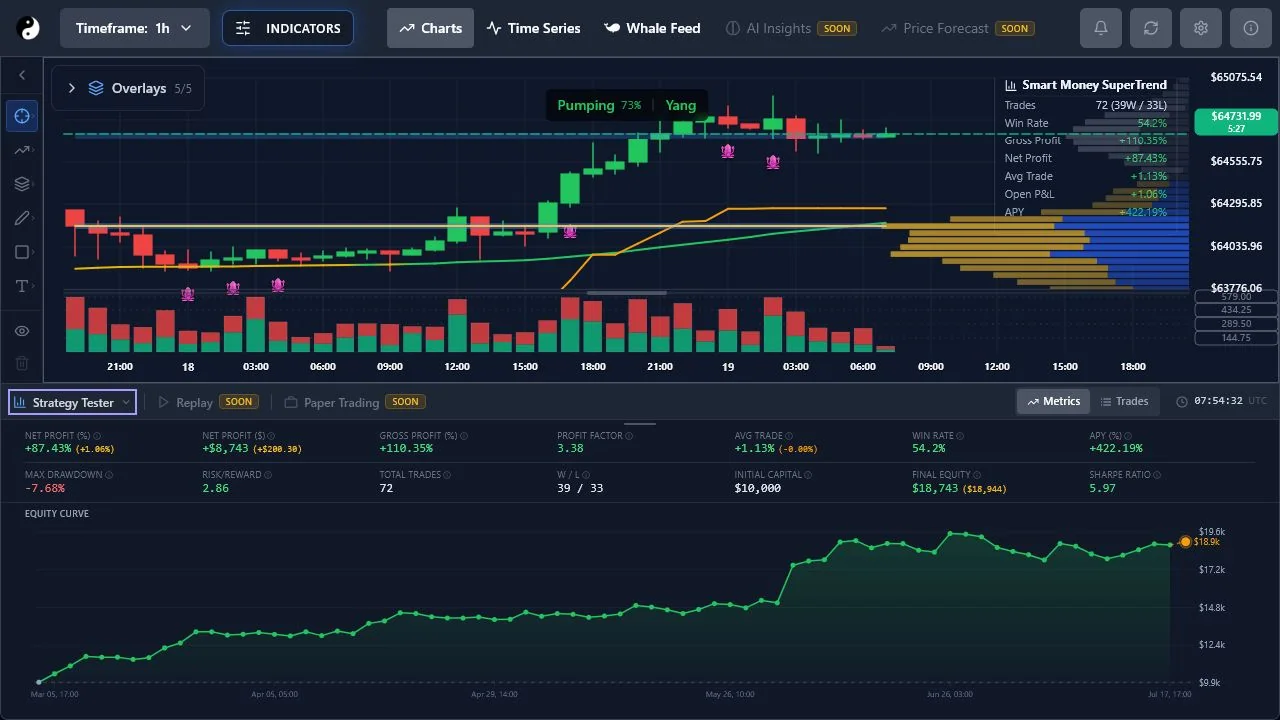
Step 1
Open the Strategy Tester below the chart and select an implemented strategy. An empty metrics panel is expected until a strategy is enabled.
Step 2
Before comparing outcomes, record symbol, timeframe, tested date range, strategy settings, capital, commission, and slippage.
Step 3
Do not stop at net return. Review trade distribution, drawdown, fees, market regime, and whether a small number of events dominate the result.
Step 4
Backtests cannot reproduce live liquidity and execution perfectly and do not guarantee future profitability.